
Database Manager
WordPress Database Manager, No phpMyAdmin Needed
Look inside your WordPress database, fix a row, or replace an old domain everywhere, from the dashboard. No phpMyAdmin, no hosting login, and a preview before anything changes.
Why use the WPIDE Database Manager
Browse every table
See the WordPress tables and those plugins added, row by row.
Add, edit and delete rows
Fix a broken option or a wrong value directly, with safe editing switched on.
Change table structure
Create tables, change columns and update indexes when a plugin or a migration needs it.
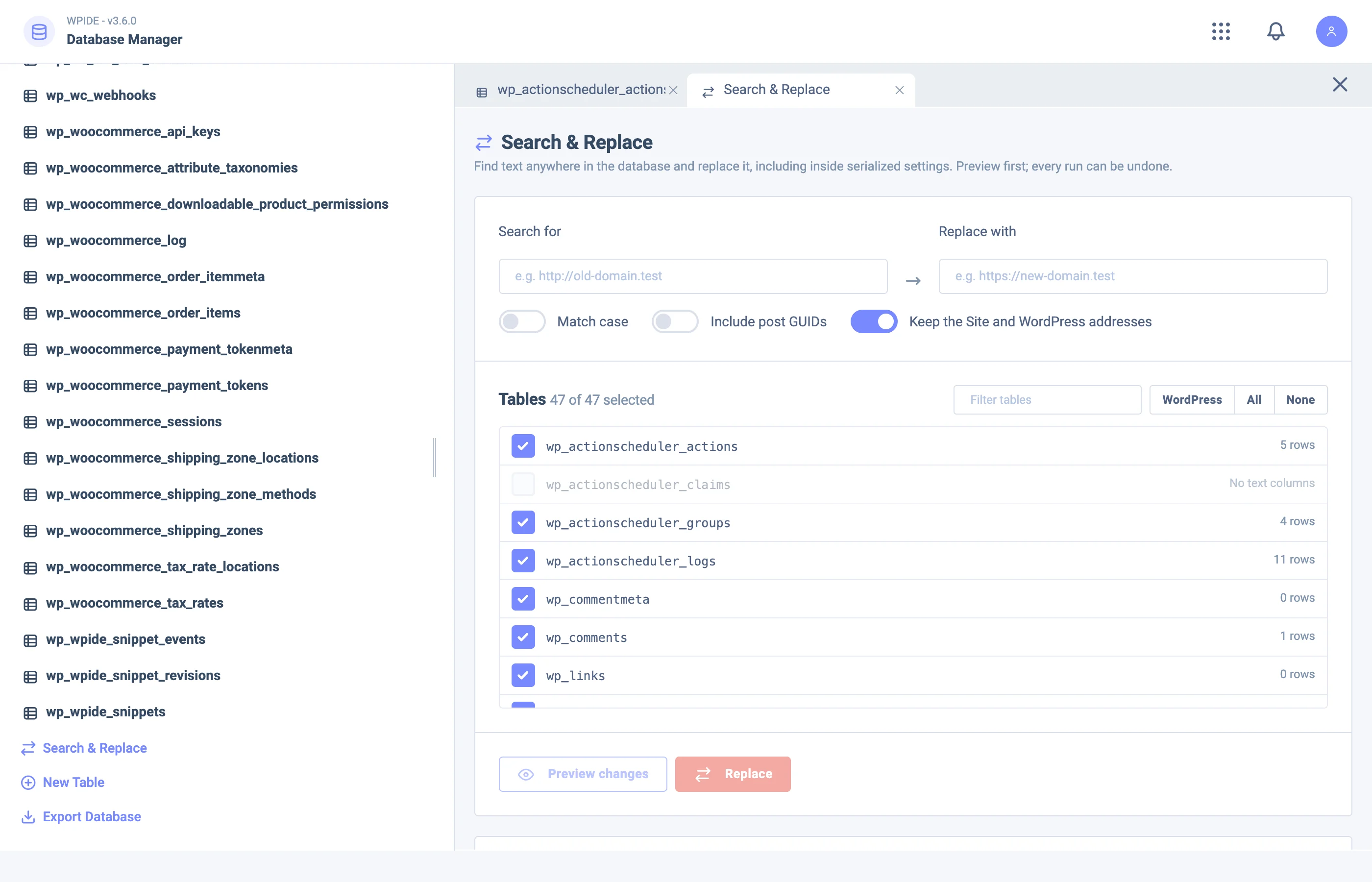
Search & Replace
Replace text across tables, safe for serialized data, with a preview first and undo after.
Your database, without phpMyAdmin
Many hosts hide phpMyAdmin behind another login, and some do not offer it at all. The WPIDE Database Manager works inside WordPress: open a table, sort and read its rows, change a value and save.
- View tables and rows
- Create tables
- Add, update and delete rows
- Update table structure and column indexes
Search and replace, safe for serialized data
Moving a site to a new domain or to HTTPS leaves old addresses all over the database. A plain SQL replace breaks serialized data that WordPress and plugins store; WPIDE reads and rewrites it correctly. You see a preview of every change before it runs, and can undo it afterwards.
Database Manager in each plan
| Feature | Free | Basic | Plus | Pro | Bundle |
|---|---|---|---|---|---|
| Database ManagerBrowse tables, add, edit and delete rows, and change table structure and indexes safely. | Not included | Included | Included | Included | Included |
| Database Search & ReplaceReplace text anywhere in the database, serialized data included, with a preview first and undo after. | Not included | Not included | Not included | Included | Included |
Database Manager questions
Do I still need phpMyAdmin?
For everyday jobs, no: browsing tables, editing rows, changing structure and search and replace all happen in the WordPress dashboard with WPIDE.
Is search and replace safe with serialized data?
Yes. WPIDE unserializes the values, replaces the text and serializes them again, so lengths stay correct. You get a preview first and can undo the change.
Which plan includes the Database Manager?
The Database Manager is in every paid plan. Database Search & Replace comes with the Pro plan and up.
Should I back up before editing the database?
Yes, always. Editing rows changes your live data immediately; a recent backup lets you go back if something is not right.

Get Started with WPIDE
Install the free plugin from WordPress.org, or try any paid plan free for 14 days.