
File Manager
WordPress File Manager: Manage Your Files Without FTP or cPanel
WPIDE puts a full file manager in your WordPress dashboard: a file tree, drag-and-drop uploads, batch downloads, archives, deep search and a code editor one click away. Free on WordPress.org.
Why use the WPIDE File Manager
A clean, familiar interface
A file tree, a smart context menu, six themes and a dark mode. It feels like a desktop file browser, inside WordPress.
Built on the WordPress Filesystem API
File operations go through WordPress itself, the same API core uses for updates, instead of a bundled third-party file browser.
Drag-and-drop uploads
Drop files or whole folders onto the window to upload them, in batches.
Batch downloads
Select several files and folders and download them at once.
Zip and unzip
Compress folders before downloading them, or unpack an archive right on the server.
Deep search and folder sizes
Find any file or folder by name, and see which folders take up your disk space.
Everything you used FTP for, in your dashboard
Most file jobs on a WordPress site are small: replace a logo, fix a theme file, clean out an old plugin folder, grab a backup of a folder. With WPIDE you do them in the browser, logged in to WordPress, without FTP credentials, an FTP client or your host's control panel.
- Create, rename, copy, move, duplicate and delete files and folders
- Upload single files or whole folders by drag and drop
- Download several files or folders at once
- Zip and unzip files and folders, in batches
- Choose the root folder the file manager opens
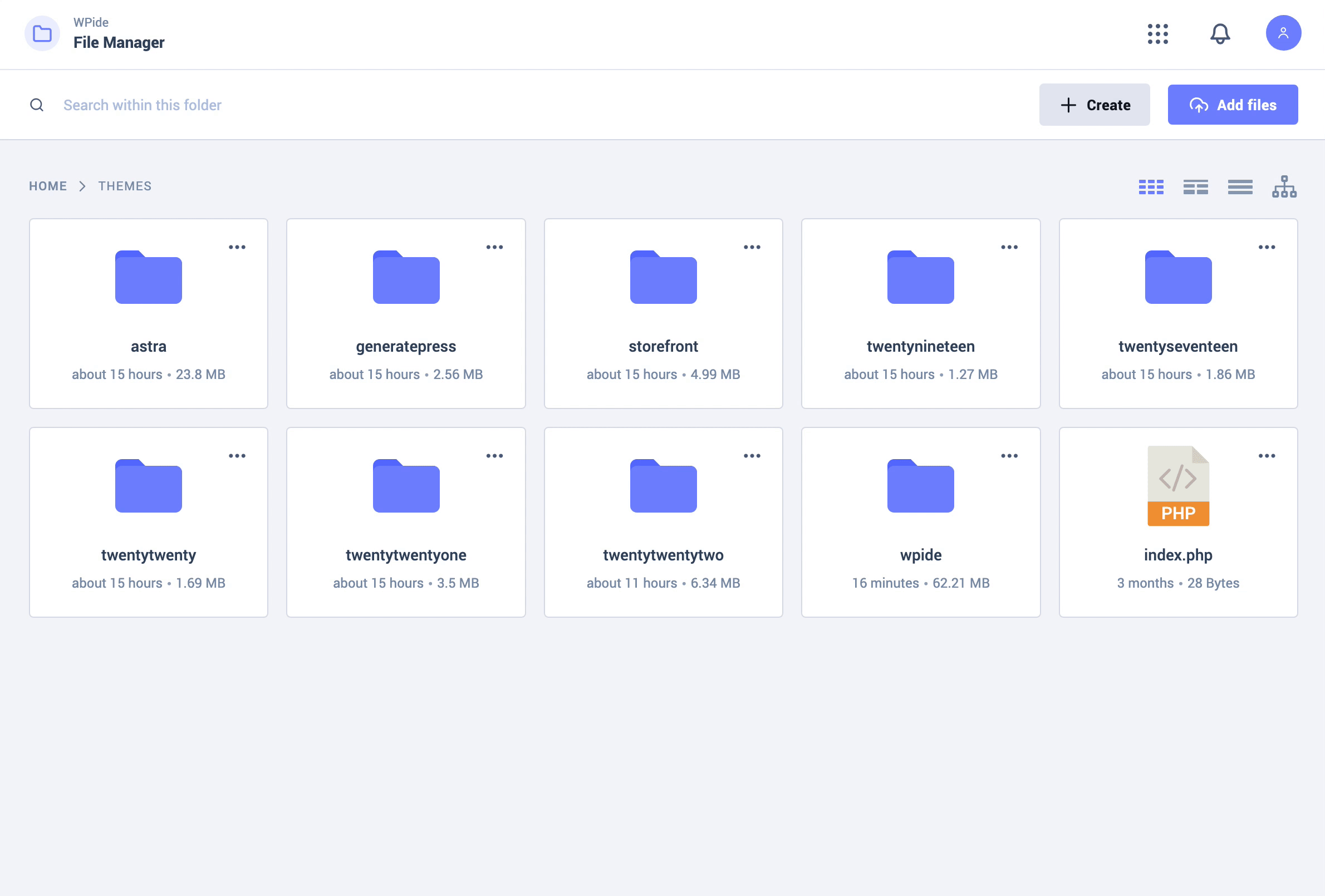
Find any file in seconds
A deep search looks through every folder for files and folders by name, so you can jump straight to that one template or log file. Folder sizes show what is filling your hosting space.
Preview files before you open them
Open files in tabs, browse images in a gallery and play video and audio files without downloading them. When a file needs changing, the code editor opens it in a new tab.
- Multi-tab preview
- Image gallery
- Video and audio player
A file manager built with security in mind
File manager plugins are powerful, which makes them a target: in September 2020 attackers exploited a zero-day in a popular file manager plugin across hundreds of thousands of sites, through the third-party file browser it bundled. WPIDE does its file work through the WordPress Filesystem API instead.
Core WordPress files and wp-config.php stay out of reach unless you switch on advanced mode, and PHP files are checked and backed up before every save.
File Manager in each plan
| Feature | Free | Basic | Plus | Pro | Bundle |
|---|---|---|---|---|---|
| File managerBrowse wp-content in a file tree; create, upload by drag and drop, download, zip and unzip files and folders. | Included | Included | Included | Included | Included |
| Deep file search and folder sizesFind files and folders by name anywhere, and see how much space each folder uses. | Included | Included | Included | Included | Included |
| Image gallery and media playerPreview images, video and audio from the file manager. | Included | Included | Included | Included | Included |
| Code editor with tabsEdit several files at once with syntax highlighting, code folding, find and replace and keyboard shortcuts. | Included | Included | Included | Included | Included |
| File Recovery WizardRestore a backup when a change took the site down. | Included | Included | Included | Included | Included |
| Advanced modeEdit WordPress core files and wp-config.php when you need to. | Not included | Included | Included | Included | Included |
File Manager questions
Do I need FTP or cPanel to manage WordPress files?
No. With WPIDE you upload, download, move, zip, unzip and edit files from the WordPress dashboard. You only need a WordPress administrator account.
Is the WPIDE file manager free?
Yes. The file manager, deep search, folder sizes, previews and the code editor are in the free plugin on WordPress.org. Paid plans add advanced mode, auto save, the Database Manager, the Image Editor and more.
Which folders can I see?
By default WPIDE opens the wp-content folder, where your themes, plugins and uploads live, and you can change the root folder. Advanced mode in the paid plans also lets you edit WordPress core files and wp-config.php.
Is a file manager plugin safe on a live site?
It is as safe as the plugin and your admin accounts. WPIDE uses the WordPress Filesystem API, keeps core files out of reach unless you turn on advanced mode, and checks PHP before saving. Keep your admin passwords strong and give admin access only to people who need it.
Can I upload a whole folder at once?
Yes. Drag a folder from your computer onto the file manager and WPIDE uploads its files in a batch, keeping the folder structure.

Get Started with WPIDE
Install the free plugin from WordPress.org, or try any paid plan free for 14 days.