
Image Editor & Media Optimizer
Edit and Optimize WordPress Images From Your Dashboard
A full image editor and a media optimizer in one place: fix an image without leaving WordPress, then make every image on the site smaller and faster to load.
Why use the WPIDE Image Editor & Media Optimizer
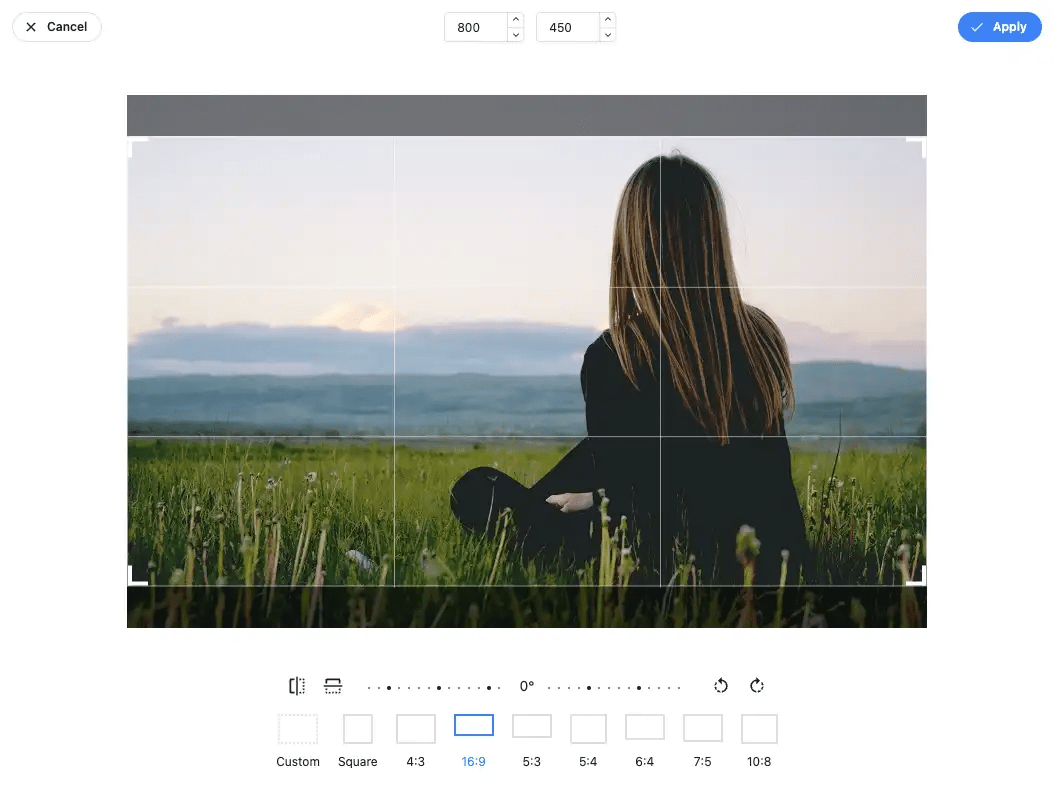
Crop and resize
Transform any image to the size and framing you need.
Filters, frames and text
Apply filters, add frames, text, stickers, shapes and gradients.
Smaller images
Recompress every image size, kept only when the result is smaller.
WebP and AVIF
Modern formats for browsers that support them, the original for the rest.
Replace and keep the URL
Upload a new file over an old one; every page using it shows the new image.
Originals kept
Every original is backed up and can be restored at any time.
An image editor inside WordPress
Open any image from the file manager and edit it in place: crop and resize, apply filters, add frames, corners, text, stickers, patterns and gradients. No desktop app, no download and upload round trip.

A faster media library
Images are usually the heaviest part of a page. The Media Optimizer recompresses every image size in your library and keeps the result only when it is smaller, serves WebP and AVIF to browsers that support them, and optimizes new uploads as they arrive.
- Optimize the whole library or new uploads only
- WebP and AVIF with the original as fallback
- Every original backed up and restorable
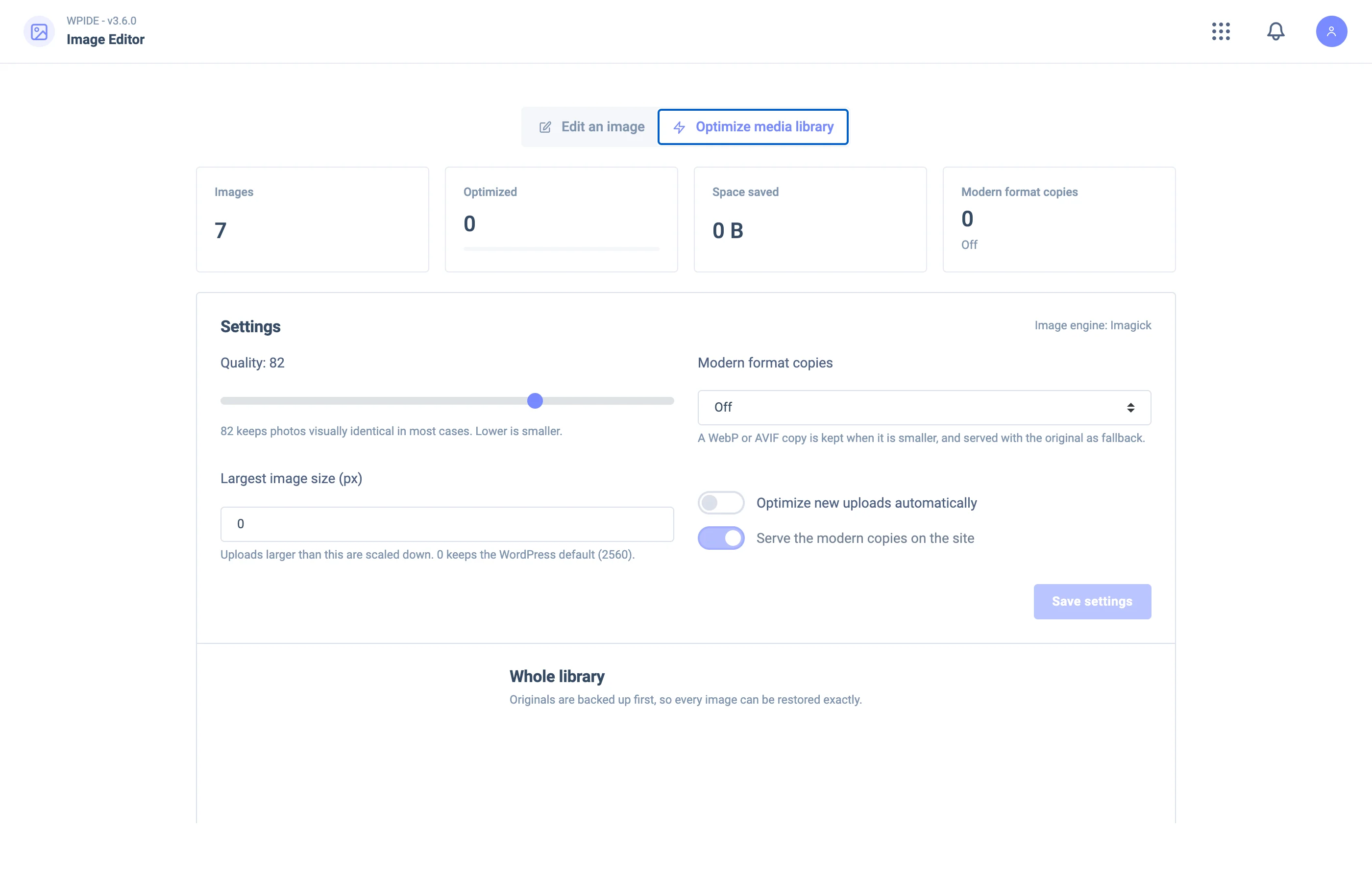
Image Editor & Media Optimizer in each plan
| Feature | Free | Basic | Plus | Pro | Bundle |
|---|---|---|---|---|---|
| Image EditorResize, crop, filter and add frames, text, stickers and gradients to any image. | Not included | Included | Included | Included | Included |
| Optimize the media libraryRecompress every image size, kept only when it gets smaller. | Not included | Not included | Included | Included | Included |
| WebP and AVIFServe modern formats to browsers that support them, with the original as a fallback. | Not included | Not included | Included | Included | Included |
| Optimize new uploadsImages are optimized as they are uploaded. | Not included | Not included | Included | Included | Included |
| Replace an image, keep its URLUpload a new file over an old one; every page using it shows the new image. | Not included | Not included | Included | Included | Included |
| Backups of originalsEvery original is kept and can be restored at any time. | Not included | Not included | Included | Included | Included |
Image Editor & Media Optimizer questions
Which plan includes the image editor?
The Image Editor is in every paid plan. The Media Optimizer, with WebP and AVIF, comes with the Plus plan and up.
Will optimizing change my original images?
WPIDE backs up every original before optimizing and keeps a new version only when it is smaller. You can restore any original at any time.
Do all browsers support WebP and AVIF?
Current browsers support WebP and most support AVIF. WPIDE serves the modern format only to browsers that accept it, and the original to the rest.

Get Started with WPIDE
Install the free plugin from WordPress.org, or try any paid plan free for 14 days.